

Choose Right Rgb Lights
In high-stakes combat, you want lighting that looks vibrant but never washes out UI or HUD cues. Look for RGB products rated with 4000-6500K white balance and a color-depth of 24-bit (16.8 million colors) for accurate faction colors or team skins. For LED strips, brightness is measured in lumens per meter; typical gaming strips run 500-1500 lumens per meter, which is plenty for a desk setup without glare on your monitor. Also check PWM flicker; a frequency above 1 kHz minimizes visible flicker during long sessions.
Table of Contents
Our Top Picks
Affiliate disclosure: if you buy through these links, we may earn a commission at no extra cost to you.
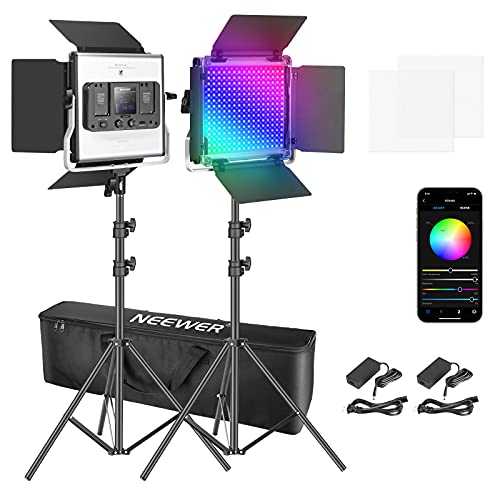

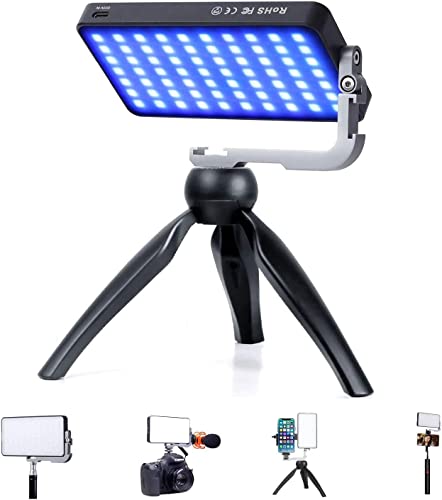
Factors to Consider
Color quality and brightness for in-game clarity
Addressable vs. static RGB: per-zone control matters
Addressable RGB (ARGB) lets you program individual LEDs or zones, creating effects that follow your in-game actions or sound cues—great for streaming or synchronized keyboard lighting. Static RGB is simpler and cheaper but won’t offer per-light animations; for most setups it’s enough if you just want a consistent glow behind your monitor. If you use a mixed setup (keyboard, mouse, strips, headset), ARGB provides cohesive scenes across devices, but you’ll need compatible software to get the most out of it.
Software ecosystem and cross-compatibility
Most brands lock you into their software (Corsair iCUE, Razer Synapse, ASUS Aura, etc.). Cross-compatibility is limited, so choose one ecosystem you’ll actually use for macros, profiles, and game-specific lighting. If you frequently switch hardware, look for ARGB products that play nicely with universal controllers (OpenRGB) to avoid being locked into a single vendor. In practice, the best setups map lighting to in-game events: HP bars, spawn flashes, or mic activity for streaming—benefits that justify the software tradeoffs.
Power consumption, cable management, and durability
RGB lighting draws modest power, but a full desk rig can add up; expect a few watts per device and ensure your PSU/USB hub can handle it without stressing ports. Pay attention to cable routing and connectors (3-pin vs 4-pin ARGB vs standard RGB) to minimize clutter and signal degradation. Look for durable components like silicone-coated strips and heat-resistant LED housings, especially on desk setups with heat-emitting components in proximity.
Budget vs premium: what actually moves the needle
Premium kits offer more LEDs, better diffusion, stronger color accuracy, and more robust software, but you’re paying a premium for perceived aesthetics rather than direct FPS gains. For a competitive gamer, prioritize ARGB with reliable PWM-free lighting and good diffusion over flashy but low-density RGB. If your setup includes a streaming rig, invest in cohesive lighting scenes first, then fill gaps with budget pieces that align color and brightness.
Frequently Asked Questions
What is addressable RGB vs static RGB, and which should I choose?
Addressable RGB (ARGB) lets you control each LED or zone individually, enabling per-light animations and game-linked effects. Static RGB offers a single color or simple, non-per-light patterns. If you want cohesive, immersive effects across multiple devices, ARGB is the better choice, provided you’re comfortable managing the software.
Do RGB lights affect input lag or FPS in competitive gaming?
In practice, RGB lighting draws negligible CPU/GPU cycles and should not impact FPS or input lag on modern systems. Real-world impact is typically under 1 ms, with most delays coming from display, network latency, or game optimization rather than lighting. Prioritize stable power and proper drivers to avoid any minor hiccups.
How bright should RGB lighting be, and how does diffusion help?
Brightness should complement your monitor and desk without washing out on-screen details; aim for soft ambient glow rather than glare. Good diffusion can eliminate hotspotting on strips and ensure uniform color across keyboards or panels. Most gamers prefer a subtle to moderate glow that enhances depth perception around the screen.
Is RGB lighting worth the budget for a gaming setup?
For a pure FPS-focused setup, RGB lighting largely affects mood and streaming visuals more than core performance. If you’re building a showpiece or streaming rig, invest in cohesive ARGB scenes and diffusion; for tight budgets, start with a single controlled strip and expand later.
Can RGB lighting sync across devices from different brands?
Cross-brand synchronization is often limited due to ecosystem fragmentation, so color scenes may not perfectly align. Some open-source tools like OpenRGB offer broader compatibility, but you may lose advanced macros or lighting effects tied to a single vendor’s software. If seamless cross-device syncing is critical, choose a single-brand ecosystem you’ll stick with.
What should I know about connectors and installation?
Common options include 3-pin (5V) addressable RGB and 4-pin (12V) non-addressable RGB; ensure your motherboard headers or controllers support the type you buy. For easy installation, uses strips with strong adhesives and diffusers, and plan cable routing to avoid clutter near fans or heat sources. Double-check controller compatibility with your PC case and desk setup before mounting.


